
Signing in with Google is the quickest way to make a Math Workout account: there is no password to remember and no code to type.
How do I sign in with Google?
- Open Settings (the gear on the home screen).
- On the Account card, tap SIGN IN / CREATE ACCOUNT.
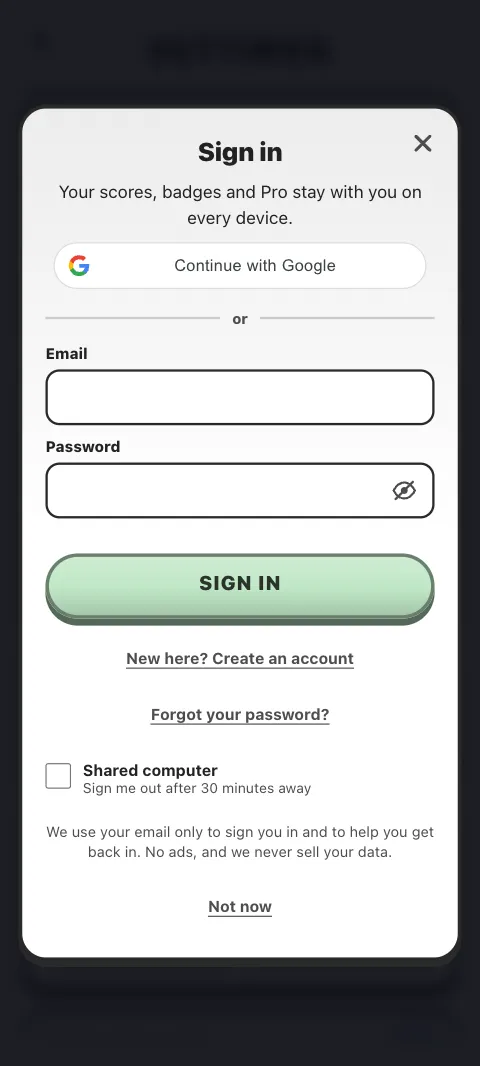
- Tap Continue with Google.
- Choose your Google account.
That is it: "You're signed in".
If it is your first time, your Math Workout account is made there and then, with your email already confirmed.
How does it work in the Android app?
The app opens Android's own list of Google accounts, even if one is already set up on the phone, so you can choose the right one. If you close the list, nothing happens and you can try again.
How does it work in a browser?
The sign-in sheet shows Google's own button. Tapping it opens a small Google window. If Google's button does not appear within a few seconds, the sheet shows its own Continue with Google button instead, which takes you to Google's page and back.
Why is the Google button missing?
Two common reasons:
- You opened mathworkout.app inside another app, such as a social media or chat app. Google does not allow sign-in in those built-in browsers. The sheet says so: open mathworkout.app in your normal browser, or use your email.
- Something is blocking Google's sign-in: a pop-up blocker, an ad blocker, a privacy setting or a school filter. Allow pop-ups for mathworkout.app and try again, or use your email.
Can I use Google and my email password on the same account?
Yes. If you made an account with your email and a password, and later choose Google with the same Gmail address, Google is added to that account. Your password keeps working, and we email you to say Google sign-in was added.
Does Math Workout see my Google name or contacts?
No. We only use your Google account's email address to sign you in. Your Google name is never used as your leaderboard name: you choose that yourself in Settings.
What if it says "Google sign-in didn't finish"?
Try again, and check your internet connection. If it keeps failing, use your email instead, or see Sign-in problems.
Was this article helpful?
Thanks for telling us.
Sorry it did not help. Tell us what was missing