
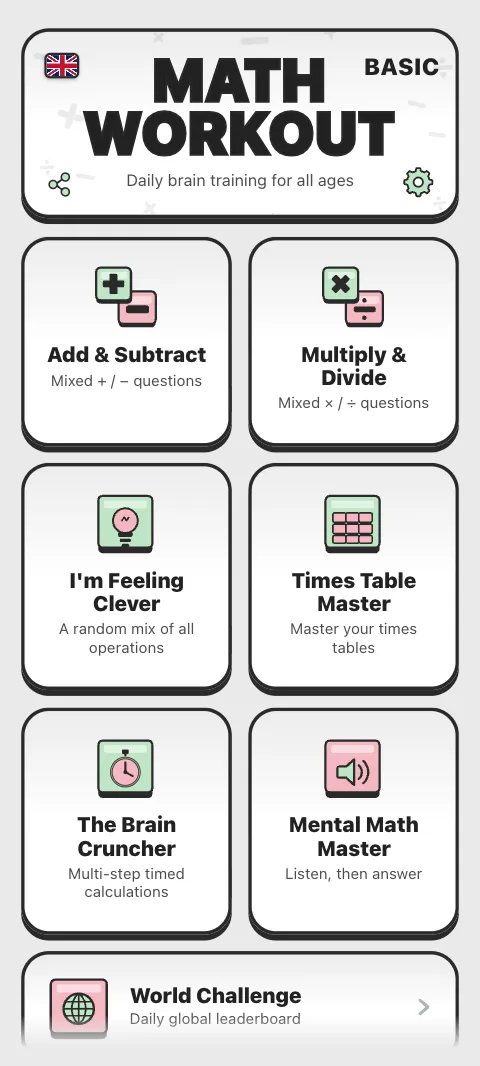
Math Workout is free to start, on your phone, tablet or computer. Pick the way that suits you.
How do I get Math Workout on Android?
Install Math Workout from Google Play. It needs Android 7.0 or newer. The app works offline once installed, and you never need an account to play in it.
Can I play in a browser?
Yes. Go to mathworkout.app/play in Chrome, Edge, Safari, Firefox or another modern browser, with nothing to download. On the website you can play 3 rounds first; after that, a free account keeps you playing and keeps your progress safe. See Why sign in?
Is there an iPhone or iPad app?
There is no app in Apple's App Store. On an iPhone or iPad, play in Safari at mathworkout.app and add it to your Home Screen so it opens like an app. See Math Workout on iPhone and iPad.
Can I play on a computer?
Yes: on Windows, Mac and Chromebook, in your browser, with a layout made for a big screen and the keyboard. See Play on a computer.
What happens the first time I open it?
Doc, your coach, says hello, then gives you a quick warm-up of three easy sums on the keypad. A few short pages explain how Math Workout adapts to you, and the last page lets you choose sound on or off. Tap Let's begin! and you are on the home screen. The language flag at the top lets you switch language at any point.
Which workout should I try first?
- New to it, or practising with a child: Add & Subtract on Easy.
- Learning the tables: Times Table Master.
- Want a daily challenge: World Challenge, the same 50 questions for everyone today.
- Like games: Math Run or Galaxy Run.
- Want to learn the tricks: Method Lab.
Each workout explains itself with a short briefing from Doc the first time. See Meet Doc, your coach.
What is on the home screen?
The six quick workouts first, then the bigger cards: World Challenge, Math Run, Galaxy Run, Prime Raiders (once you unlock it), Brain Age Check, Progress and Method Lab. The gear opens Settings, and the flag changes the language.
Is Math Workout free?
Yes, to start, with every workout to try. Pro is an optional one-time purchase. See What Pro includes.
Was this article helpful?
Thanks for telling us.
Sorry it did not help. Tell us what was missing